Answers are missing
A completion record does not include the learner’s answers or the questions they missed.
Interactive video for training
Add questions, feedback, branching, and resources to your training videos, then see how each learner answered and what they completed.
What completion misses
A standard video report shows whether the video reached the end. It does not show answers, retries, or review paths.
A completion record does not include the learner’s answers or the questions they missed.
A separate quiz delays feedback and removes the question from the part of the video that taught it.
Completion can sit in the LMS while answers and acknowledgements stay in separate forms or email threads.
Inside the video
Place each interaction at the point where the learner needs to answer, review, or continue.
Questions
Place a question at an exact timecode and require an answer before the learner continues.
Feedback
Show an explanation after each answer or send the learner back to the relevant part of the video.
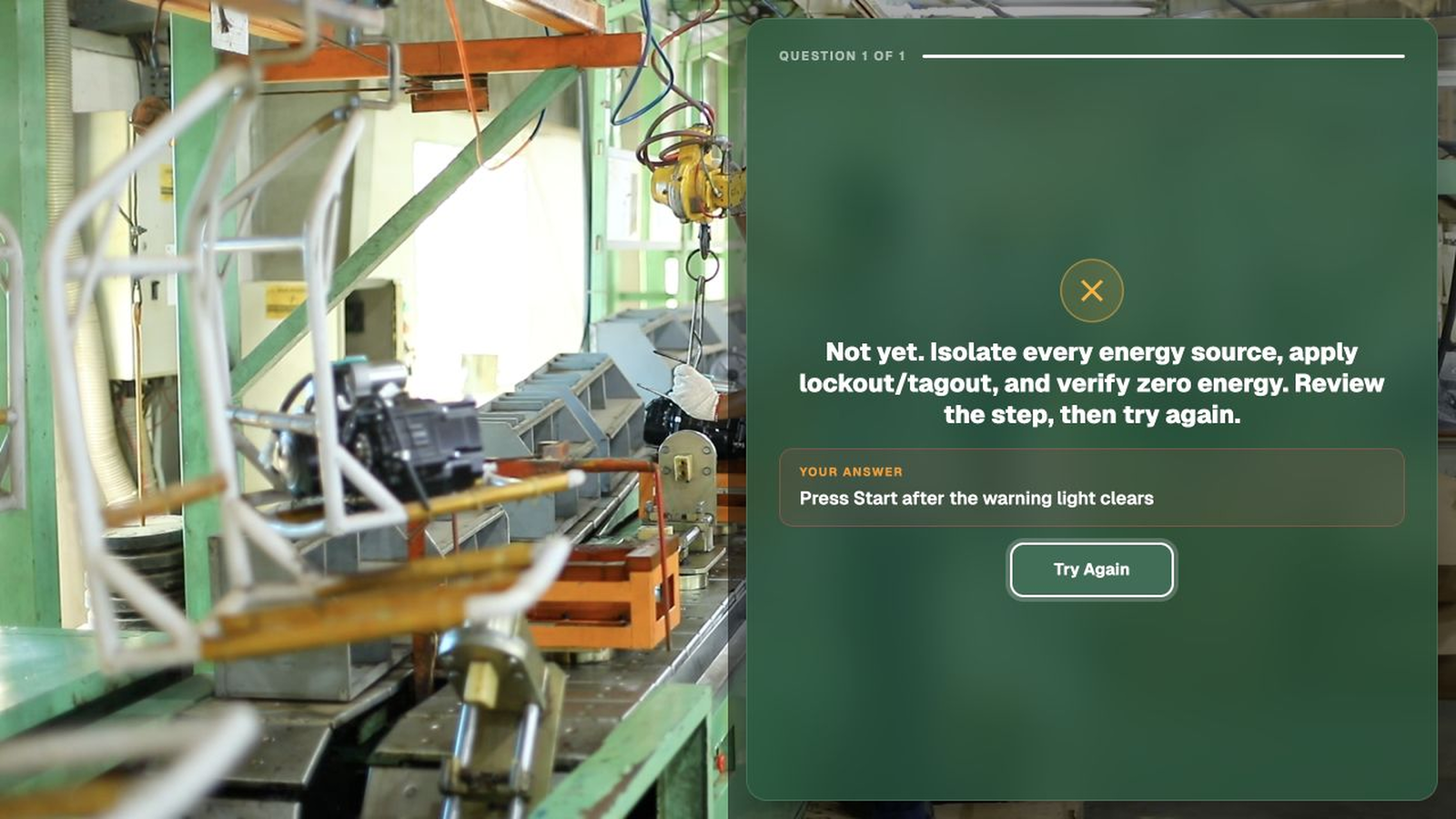
Reporting
Review completion, score, answers, attempts, clicks, and paths for each learner.
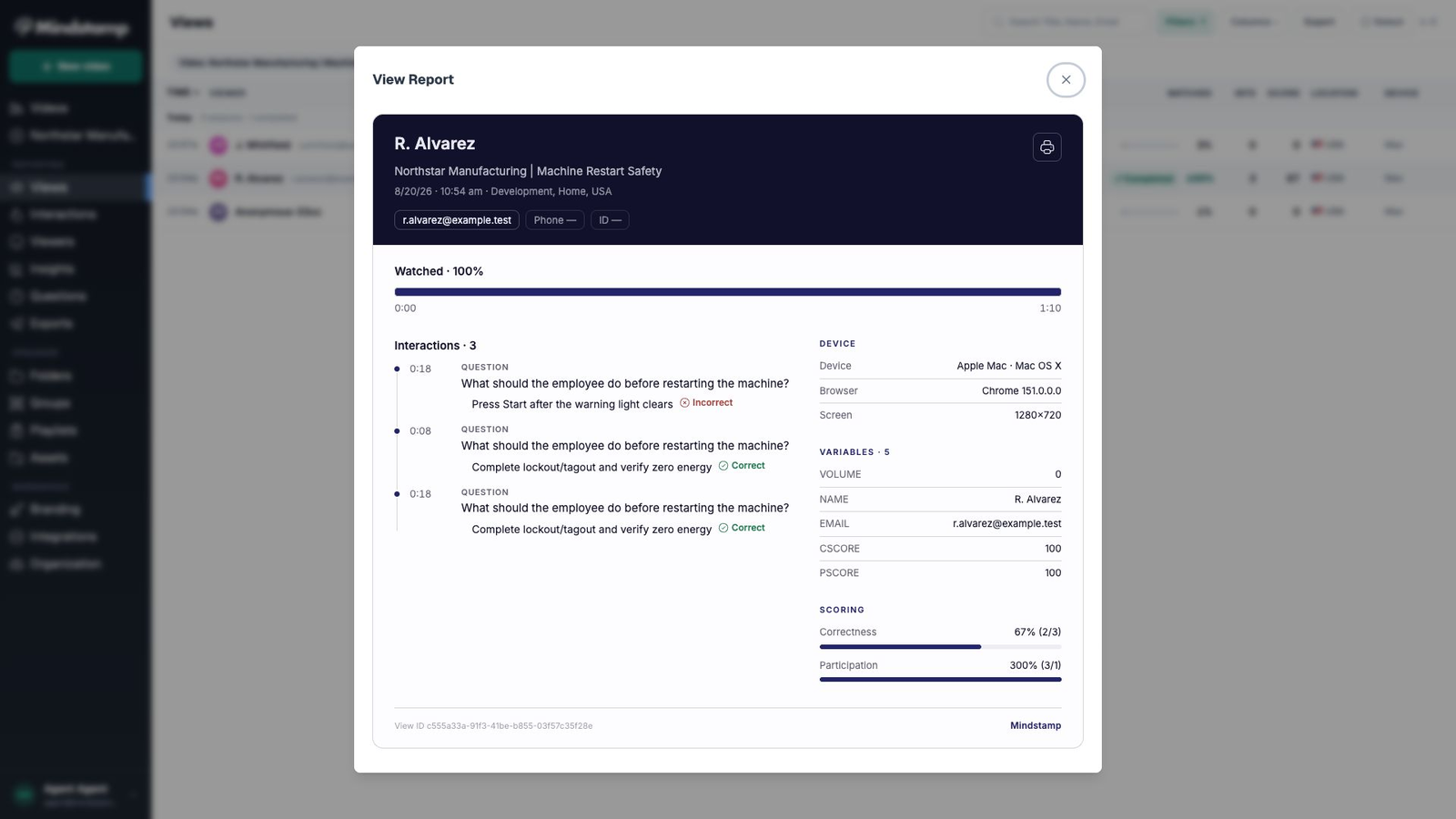
The report
Completion tells you who finished. Mindstamp shows how each learner answered, where they struggled, and what they completed.
Standard completion report
94% complete
Most learners reached the end. That does not tell you how they answered or where they struggled.
Mindstamp learner report212 learners
+ 209 more learners
Customer example
The learner chooses an action, the video branches to the next step, and hotspots open the procedure documents.
Training use case directory
See how teams use questions, branching, acknowledgements, and LMS reporting in different training programs.
Run role-specific orientation with policy acknowledgements and first-week checks.
Explore →Teach procedures with hotspots, assessments, and tracked completion before site access.
Explore →Put staff inside phishing and password scenarios and score the response.
Explore →Add questions, acknowledgements, and completion records to clinical training modules.
Explore →Use scenario branches to show different outcomes for each response.
Explore →Let managers practice reviews, feedback, and conflict in branching scenarios.
Explore →Give customers product tutorials with questions, buttons, and different paths.
Explore →Coach reps on product knowledge and objections with branching practice paths.
Explore →We use Mindstamp to supplement one of our training programs, and it provides great value to our colleagues who participate! From an administrative perspective, it's easy to set up and deliver high-quality content.
Training FAQ
How LMS sync, learner access, progress rules, accessibility, and training records work.
Use a SCORM package to send completion and score to a compatible LMS. Test the package in your LMS before rollout.
No. Learners open a link or an embed. You can still capture their identity, answers, and completion without provisioning anyone.
Yes. Seeking can be disabled and progress can be gated on a correct answer, so the module cannot be completed by dragging the scrubber.
The player and its interactions support captions, keyboard operation, and screen reader labels. Test a module against your own accessibility requirements before rollout.
No. Interactions sit on top of the file you already have. Mindstamp keeps the original unchanged.
Per-view records persist in your account and export at any time, so evidence survives staff changes and audit cycles.
Start with one module
Use an existing onboarding or safety video and review the first learner report.