What personal data does Mindstamp collect from viewers?
Short answer
Every view records basic technical data, including the viewer's IP address, approximate location (city, region and country) and browser. Names, email addresses, phone numbers, answers and other personal data are collected only when your video asks for them, for example with Lead Capture, questions, variables or precise location.

Collected on every view
Copy link to Collected on every view- IP address.
- Approximate location based on the IP address: city, region and country.
- Browser details.
- What the viewer watched and clicked, and when.
Collected only when you turn it on
Copy link to Collected only when you turn it on- Lead Capture: name, email, phone, custom ID and any custom fields you add.
- Questions: the viewer's answers, including text, voice, video, drawing and image responses.
- Variables and personalized links: values passed in the link or set during the video.
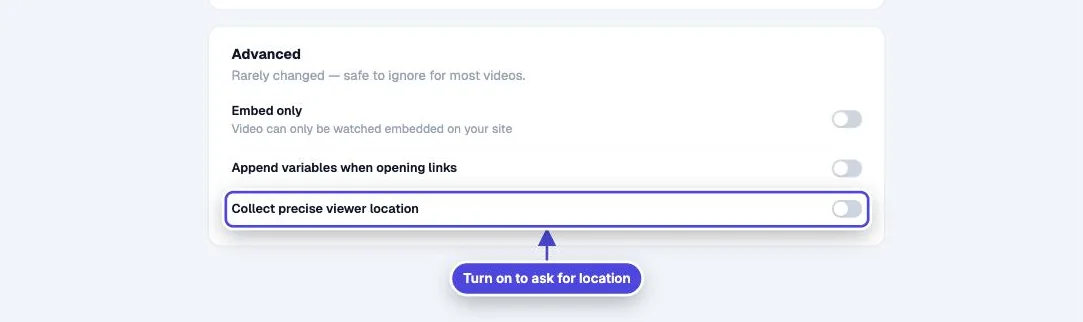
- Collect precise viewer location (in Settings, Core and higher plans): the viewer's exact location, only after the viewer gives permission in the browser.
- Genie AI: the questions viewers type or speak.
- Viewer comments and drawings.
- Collect response click actions and forms.
Keep a variable out of reports
Copy link to Keep a variable out of reportsMindstamp can mark variable names as private for your account. A private variable still works during playback, for example to personalize text, but its value is stored as [private] in views, interactions and reports. To set this up, contact the team.
Your responsibilities
Copy link to Your responsibilitiesYou decide what your videos ask for, so you are responsible for telling viewers how you use it. Collect only what you need, link to your own privacy notice near a Lead Capture form, and check what your integrations send to other tools.