
A real ordered scale
Five- or seven-point items with your own anchor labels, not a generic reaction widget.
Ask a question
Run proper Likert items inside the video so attitude and confidence surveys sit where the material is.
What it does
If your instrument is validated, the scale has to stay intact — not be flattened into a thumbs up.
Five- or seven-point items with your own anchor labels, not a generic reaction widget.
The instrument runs in the video, so response rates match viewing rather than email opens.
Every item is stored against the viewer, ready for whatever analysis you already run.
In practice
Attitude, confidence, and perception measures that need to stand up to scrutiny.
In depth
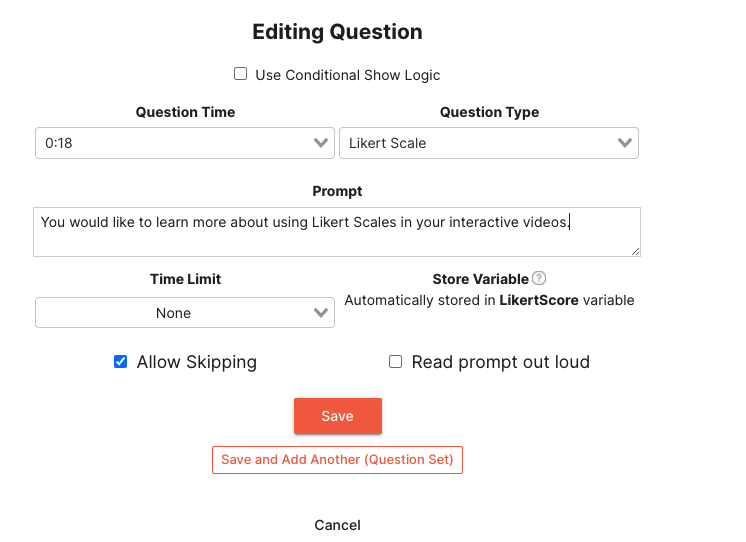
Once you have added a question in your interactive video, you can choose to show a Likert Scale question type. By providing a prompt, you can allow your views to select from Strongly Agree to Strongly Disagree. Likert Scales are common to gauge your audience’s satisfaction or agreement with a given statement. Use Likert Scales to engage with your audience by allowing them to provide feedback directly through an interactive video. Likert Scale question results are stored directly in the LikertScore variable that can be used throughout your interactive video.
A Likert Scale question is a great way to gauge how relevant material is to your audience. By getting direct feedback from your viewers, you can tailor your content to their specific needs. For example, if you are creating a promotional video for your product or service, you could start the video with a Likert question asking your audience if they agree or disagree with a statement that the material is relevant to their current situation. Based on their response you can take various actions. You can show a different video entirely, branch to a different spot in the current video, or anything that you can think up.
Understand the effectiveness of your content by using Likert Scale questions throughout your videos or series. For example, if you are creating an educational video, you could start the video with a Likert question asking your audience if they agree or disagree that they understand the material before it is presented. Then at the end you can ask the same question. Coupling this with Mindstamp’s powerful data reporting, you can compare how effective your content is in teaching your audience a given topic.
What gets measured
Related
These combine on one timeline — most videos use three or four together.
Let viewers select every option that applies, and score the whole set rather than a single pick.
Explore →Set the correct response on any question so Mindstamp scores it automatically and reports who passed.
Explore →Collect a real date from the viewer inside the video, in a format that stays usable downstream.
Explore →Ask viewers to circle, mark, or annotate directly on the frame, and keep the drawing as their submitted answer.
Explore →Give viewers a dropdown when there are too many options to show as buttons, and keep the frame clean.
Explore →Ask an open question inside the video and collect typed answers against each viewer, no form page required.
Explore →Questions
Yes. The labels at each point are yours, so an existing validated instrument keeps its wording.
That is your choice. Identity is only captured where you place an interaction that asks for it.
Try it on one video
Put the first three items in a recording and compare the response rate to your last email survey.