
Captures delivery
Tone, clarity, and confidence are visible in a way a text box will never show.
Ask a question
Ask viewers to record a video response inside the experience, so you assess delivery rather than typing.
What it does
A written answer cannot show whether someone can actually deliver the pitch or the procedure.
Tone, clarity, and confidence are visible in a way a text box will never show.
Asynchronous, so assessment does not need a calendar slot for every participant.
Each recording sits against the viewer, ready to review or compare over time.
In practice
Practice, pitch, and pronunciation — anything you would otherwise assess live.
In depth
Let’s face it - questions aren’t always as easy as A,B,C,D. In today’s online world, asking the right questions is more important than ever. While there’s certainly still a place for multiple choice, sometimes your questions require something a little more personal. With the Video Response question type, bring the human element to answers and assess not only the material - but the presentation of the material.
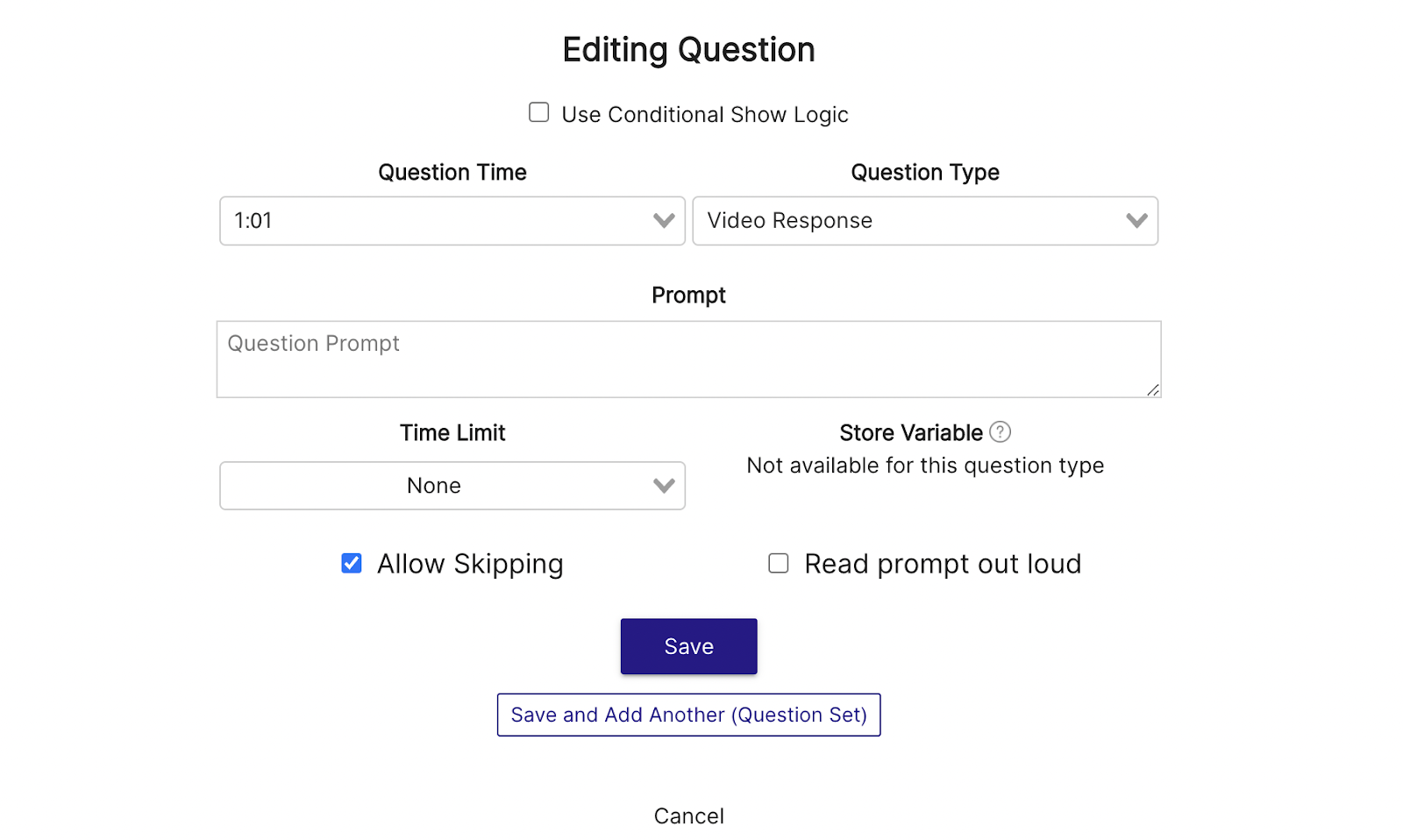
Setting up a Video Response question is easy! Simply click on the Question interaction and select “Video Response” under the Question Type. Once it’s selected, simply add your prompt, choose a time limit (if applicable), then hit save. Your viewer's experience will pause when the question appears and they’ll be prompted to record a video on the spot.
When you think about examples of Multiple Choice simply “not cutting it” in terms of response collection, Customer-Facing interactions should be high up on the list. Sure, a trainee or employee may learn from traditional A,B,C,D assessment (if they’re paying attention!) but you as an instructor are lacking serious intel that could greatly enhance your ability to coach and train. With the video response type, you’re able to present a customer scenario to a learner, then have them emulate a response on-camera. This lets you assess unspoken factors that make a huge difference in the eyes of the customer. Things like facial expressions, tonalities, mannerisms, and more. Let your training content help build a better team with the video response type.
Another excellent example of valuable video responses lies within sales training. Body language plays a huge part in how a customer perceives a salesperson and therefore sees your brand. What’s more, the old adage “it’s not what you say - it’s how you say it” couldn’t be more true! Ensure your sales team is putting their best foot forward when presenting, and coach behaviors like avoiding eye-contact, saying things with an unpleasant tone, and other crucial aspects that are simply impossible to assess with traditional response types.
With e-learning carving out a permanent place in modern education, it’s never been more important to engage students in ways similar to in-person experiences. If you’ve assigned your class a group project, consider applying video response questions simulate “presenting to the class/instructor.” The student will be able to recite the material they studied or prepared, and develop key social skills in the process.
What gets measured
Related
These combine on one timeline — most videos use three or four together.
Let viewers select every option that applies, and score the whole set rather than a single pick.
Explore →Set the correct response on any question so Mindstamp scores it automatically and reports who passed.
Explore →Collect a real date from the viewer inside the video, in a format that stays usable downstream.
Explore →Ask viewers to circle, mark, or annotate directly on the frame, and keep the drawing as their submitted answer.
Explore →Give viewers a dropdown when there are too many options to show as buttons, and keep the frame clean.
Explore →Ask an open question inside the video and collect typed answers against each viewer, no form page required.
Explore →Questions
No. Recording happens in the browser after the viewer grants camera access.
In your account, attached to the viewer who submitted them, and exportable.
Try it on one video
Replace one scheduled assessment call with a question inside a recording.