How do I connect Mindstamp to Zapier?
Short answer
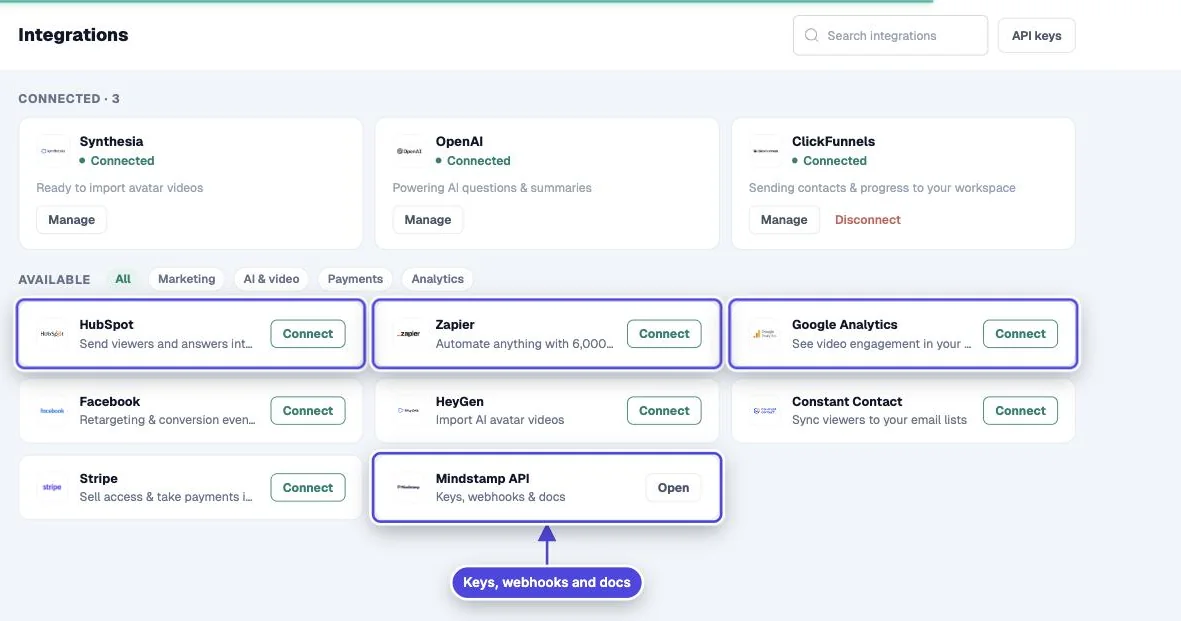
Open Integrations, select Zapier, and build a Zap from the Zapier panel. Zapier connects to your Mindstamp account and checks it for new finished views, known viewers and interactions, then passes their fields to the app you choose. Zapier is on Core and higher plans.
How to do it
Copy link to How to do it- Write down the event that should start the workflow and the record it should create or change.
- In Mindstamp, open Integrations and select Zapier.
- Sign in to Zapier in the panel and choose Mindstamp as the trigger app. Connect your Mindstamp account when Zapier asks.
- Choose the trigger, then watch a published video in a private window so there is a finished view to test with.
- Map the Mindstamp fields to the action app. Use the email or custom ID as the match key.
- Turn the Zap on, run one more real test and check that the target record changed once.
What Zapier receives
Copy link to What Zapier receivesZapier reads the same records as the Mindstamp API. A view has the video, viewer identity, watched percentage, scores, location, variables and answers. A viewer has name, email, phone, custom ID and totals. An interaction has the prompt, the answer or click, and whether it was correct. See exported fields for the full list.
Timing
Copy link to TimingZapier checks for new records on its own schedule, so data can arrive some minutes after the view. A view is ready only after the session is finished: the viewer reaches the end, closes the page, or stops for about two minutes.
Build for repeats
Copy link to Build for repeatsZapier can replay or retry a step. Use a stable ID, such as the view ID or viewer email, and a find-or-update action, so a repeat does not create a second contact or task.
Map only the fields the target app needs. Answers can contain personal data, so do not copy whole records into chat messages or logs.
Other options
Copy link to Other optionsFor real-time delivery to your own endpoint, use webhooks. For HubSpot, the direct HubSpot integration on Pro and higher plans writes contacts and timeline events without Zapier.